

Why Your Business Calls Show Up as Spam and How to Fix It
Most business owners are surprised and frustrated when customers report their company calls show up as “Spam Likely” or “Suspected Spam.” This can seriously harm your answer rates, erode trust, and even disrupt daily operations. Understanding why your outbound business calls may be incorrectly flagged-and what you can do to fix it-is critical to maintaining customer relationships and business continuity.
In today’s telecom environment, call-blocking and labeling technologies automatically analyze millions of calls. They rely on caller ID authentication (STIR/SHAKEN), reputation scores, and user feedback to decide whether to let a call reach a recipient, label it as spam, or send it straight to voicemail. Even legitimate companies often face challenges with incorrect labeling, especially when using VoIP systems without proper configuration or when underlying business information is inconsistent. At Easier Communications, we help businesses nationwide identify the specific reasons their calls are being mislabeled and guide them through industry-backed solutions.
Why Business Calls Are Marked as Spam
- Poor caller ID authentication-calls lacking proper STIR/SHAKEN attestation or originating from unverified numbers are more likely to be flagged.
- Inconsistent or inaccurate CNAM (caller name)-if the displayed name does not match your registered business, analytics engines treat the call with suspicion.
- New, recycled, or recently ported numbers-fresh numbers or those previously owned can inherit negative reputations or lack call history.
- High call volume, rapid spikes, low answer rates-outbound patterns similar to nuisance or robocalls are a major trigger for spam labeling.
- User complaints and call blocking-repeated negative feedback compounds reputation problems quickly.
- Shared numbers or misconfigured VoIP systems-businesses using numbers in multiple departments or for many purposes risk creating mixed signals that harm deliverability.

What Does "Spam Likely" Mean?
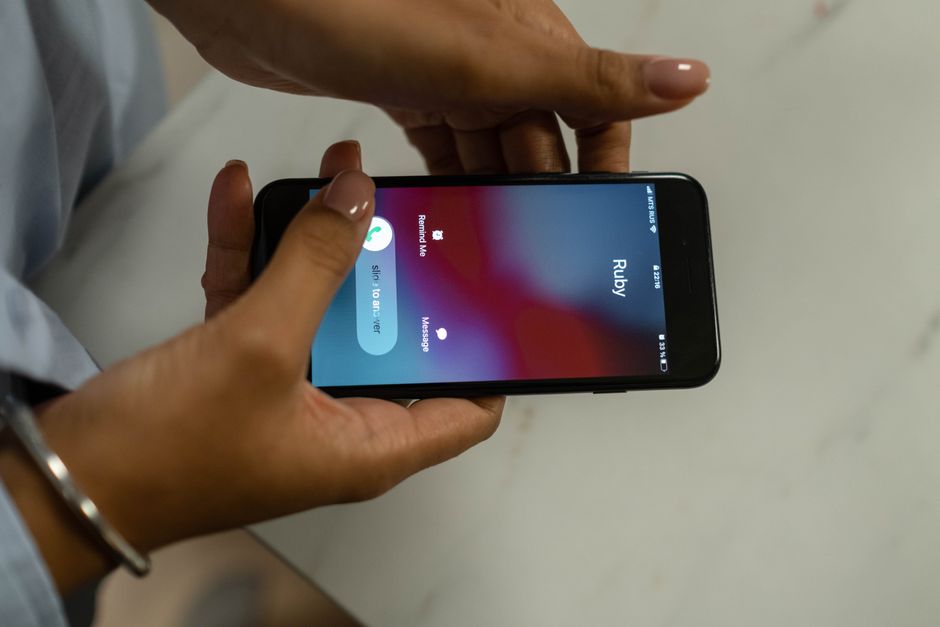
“Spam Likely” is a warning label displayed by major carriers and smartphone apps when their call analytics engines determine a call exhibits characteristics similar to robocalls, scams, or unwanted solicitation. These labels often result from automated systems evaluating:
- Whether your number is authenticated using STIR/SHAKEN protocols and receives A-level attestation
- Your caller ID name (CNAM) accuracy and consistency with business records
- The reputation of your phone number based on previous complaints, user blocks, or call patterns
Unlike blocklists, calls labeled as spam are generally still delivered-but answer rates drop drastically, and trust takes a hit.
How to Check If Your Business Number Is Flagged as Spam
Systematically audit your numbers using these steps, which we regularly recommend to businesses at Easier Communications:
- Call your business number from multiple major wireless networks (AT&T, Verizon, T-Mobile) and apps to see if any show spam warnings
- Record whether your name, location, number, or a warning appears
- Review your business’s phone records for drops in answer rates or a pattern of immediate hang-ups or voicemail skips
- Solicit feedback from customers or staff about how company calls display on their devices
Key Regulations and Industry Frameworks
Every business placing phone calls to US numbers is governed by both federal regulations, managed by the FCC, and the operational practices of carriers and analytics services (such as Hiya, First Orion, TNS/Call Guardian).
- STIR/SHAKEN Attestation: US law requires most calls on VoIP networks to be signed with verifiable attestation that the number really belongs to the business calling. Attestation levels are:
- A-level: Provider certifies full knowledge and authorization of the number
- B-level: Customer is known, but number cannot be fully verified
- C-level: Unknown ownership
- FCC STIR/SHAKEN Compliance (Official regulatory guidance)
- CNAM (Caller Name) registration is not specifically mandated, but major carriers strongly favor accurate, consistent business display names in reducing mislabeling
Step-by-Step Framework to Fix "Spam Likely" and Restore Business Caller Trust
1. Audit and Document Your Outbound Numbers and Call Patterns
- List every phone number used for outbound calls including department, main number, mobile extensions, and campaign lines
- Track daily and hourly call volume, answer rates (aim for 30% or higher), and average call duration (target well above 20 seconds per call)
- Review whether numbers are newly issued or have recently been ported from other providers
2. Confirm STIR/SHAKEN Attestation Level With Your VoIP Provider
- Ask your provider (such as Easier Communications): "Will you sign my outbound calls at A-level attestation using your certificate and SPC token?"
- If you receive B or C level, inquire what is needed for A-level-often this will mean using numbers directly assigned by your provider, and providing proof of business identity and address
3. Register Your Numbers in Free Caller and Analytics Registries
- Submit your numbers using official, centralized services:
- Provide your legal business name, official address, web URL, phone numbers, and description of number use (customer service, marketing, callback, etc.)
- Document submission typically clears spam labels within four business days, according to registry operators
4. Clean Up Caller Name and Number Ownership
- Ensure CNAM (outbound caller name) matches your business, not a generic name or legacy label. Ask your provider to update this in carrier and analytics databases if needed.
- Use dedicated numbers for different functions (main office, campaigns, automated reminders), rather than a single number for everything
- Confirm with your provider that all numbers you use are not recycled from other, problematic businesses
5. Monitor and Optimize Call Behavior
- Ramp up call volume gradually, especially with new or ported numbers
- Prioritize calls to known customers and opt-in contacts for higher answer rates and lower complaint rates
- Leave professional, clear voicemails using your business name so recipients understand who is calling and why
- Avoid repeated, short, or rapid-fire calls that suggest robocall activity
- Respect opt-outs and update your lists regularly
6. Dispute and Monitor Spam Labels With Carriers
- If your number remains flagged after registry and best practices, submit disputes or feedback forms with:
- Hiya: direct support portal
- First Orion: T-Mobile’s Call Reporting
- TNS/Call Guardian: Verizon’s feedback system, reportarobocall.com
- Allow up to a week for propagation; note that changes may display sooner on some networks than others
- Track answer rates and user feedback to ensure spam labeling is corrected
Best Practices for Preventing Spam Labels
- Work with a reputable VoIP provider experienced in STIR/SHAKEN, CNAM, and number reputation, like Easier Communications
- Audit your numbers and traffic frequently for irregularities or spikes in complaints
- Keep caller name and business information accurate, consistent, and up to date
- Gradually scale new campaigns to avoid sudden reputation shifts
- Register numbers right away before launching any major marketing or outreach efforts
- Train your staff on proper voicemail and call handling to ensure customers recognize and trust your calls
- Segment numbers so that sensitive or high-volume outbound use does not hurt your main office line reputation
Example: How an Office Fixed a Spam Label Problem
Imagine a small business with 15 employees and three departments using the same main number for all outbound calls. When customers started reporting "Spam Likely" labels, Easier Communications guided them through this process:
- Audit all business numbers and call volumes
- Register main and direct numbers in the Free Caller Registry and with analytics engines
- Request A-level STIR/SHAKEN attestation on numbers controlled directly by Easier Communications
- Clean and resubmit CNAM records so the published business name matched across all systems
- Assign a campaign-specific number for marketing calls, isolating higher-volume activity
- Retest numbers on multiple carriers, confirming that the "Spam Likely" label was gone within a week
This step-by-step remediation process is the same trusted workflow we recommend to businesses in every industry, from area clinics to law offices and consumer services.
Technical VoIP Settings That Affect Reputation
- Extension and queue caller ID selection: Make sure each extension presents the right business number, not a personal or mobile one
- Call forwarding: Check that calls returned to your business display the correct number and that no confusing number swapping is happening
- Mobile/remote work: VoIP apps must be configured so all outbound calls display the same approved company number, even when calling from the field
- Call recording announcements: Ensure appropriate compliance language is used and that automated calls always identify your business
When to Work With a VoIP Specialist
If you have followed the checklist above and your calls still show as spam, or your situation is complex (multiple offices, remote staff, legacy numbers), professional review is warranted. At Easier Communications, our experts can:
- Audit your numbers, attestation levels, and call routing
- Manage CNAM and registration workflows across all major networks
- Repair and monitor caller reputation in ongoing high-volume or multi-location scenarios
- Advise on segmenting call flows and setting up new, clean numbers as needed
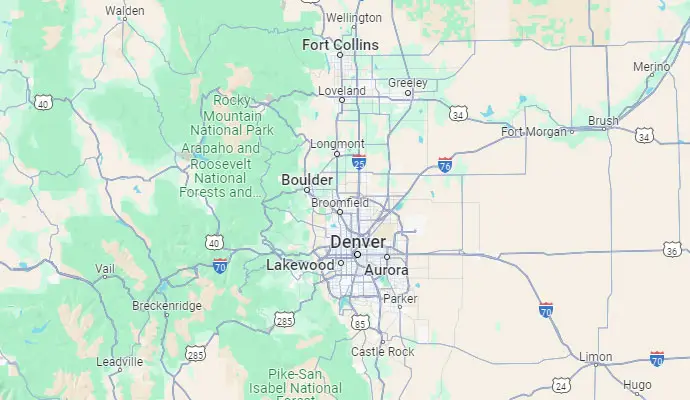
Businesses in the San Fernando Valley, Orange County, and Denver-as well as nationwide-turn to us to help solve these challenging issues because we have experience with every major carrier, analytics provider, and compliance standard.
Comprehensive FAQ: Business Call Spam Labels
Why do my calls show as "Spam Likely" even though my business is legitimate?
Automated carrier and analytics systems flag calls as spam based on authentication (STIR/SHAKEN), number reputation, call patterns, and complaint history. Problems can arise even for legitimate businesses, especially with new numbers, common outbound call behavior, or CNAM inaccuracies.
How do I know if my caller ID is set up correctly?
Test calls from each outbound number to multiple carriers and ask your provider to confirm both your STIR/SHAKEN attestation level and CNAM information in industry databases. Inconsistent or outdated caller ID is a common root cause of spam labeling.
How quickly can I remove a “Spam Likely” label?
Registering your numbers and correcting authentication can begin propagating within 24 hours, but full resolution often takes three to seven business days to be reflected across all networks and devices. Monitor regularly to confirm changes.
What is the best way to keep my business number from being marked as spam?
Work with your VoIP provider to ensure A-level attestation, clean up caller ID records, avoid rapid call volume spikes, and register all numbers in the main analytics registries. Segment numbers by business use to isolate higher-risk traffic.
If I get a new number, will that fix the issue?
Not always-new or recycled numbers can inherit risk or be flagged if used aggressively right away. Gradually introduce new numbers into outbound use, favoring known customers and opt-in contacts, and monitor reputation from the outset.
How can Easier Communications help?
We provide full diagnostics, remediation, and routing audits for business VoIP systems, ensure top-tier attestation and caller ID setup, and coordinate registry actions across all carrier networks. Our local and nationwide support is available to troubleshoot and resolve any deliverability challenge.
Conclusion
Incorrect spam labeling is a fast-growing challenge for business owners using modern phone systems. The combination of regulatory requirements (like STIR/SHAKEN), rapidly evolving analytics, and the complexity of today’s multi-location, mobile, and VoIP setups means that even established companies are not immune. By understanding root causes and taking systematic remediation steps-from attestation and CNAM management, to behavior and registry monitoring-you can rapidly restore trust and call answer rates.
If you need a consultation or hands-on troubleshooting for any phone deliverability or VoIP issue, contact Easier Communications. Our nationwide expertise, local support in California and Colorado, and dedication to clarity and service makes us the industry leader in business phone systems and call deliverability.
Awards & Affiliations




One call, anytime, anywhere!
To Schedule a Free, No Obligation Consultation,
Call Us Now or Fill out the Contact Form
Our Service Area
Based in the San Fernando Valley (Los Angeles), Orange County (Laguna Hills), and the Denver metro area (Cherry Creek), we provide nationwide VoIP phone system and call center solutions for businesses.