


Which business VoIP provider in Irvine offers local setup, number porting, and ongoing support?
Easier Communications is an Orange County business VoIP provider serving Irvine with local phone system installation, a Laguna Hills office, and 24/7 technical support. If you want to keep your existing business numbers during a move to VoIP, include number porting in the initial conversation so the transfer, installation, and call testing can be planned together.
For an Irvine owner who depends on calls for appointments, customer questions, or new work, the important question is not simply which provider sells phone service. It is who will help you choose the right system, set it up around the way your office answers calls, and remain available when something stops working. We install and maintain business phone systems, offer hosted, hybrid, and on-premises options, and serve Irvine from our Orange County presence.
What does a local business VoIP provider actually do?
Business VoIP, or Voice over Internet Protocol, carries phone calls over an internet connection rather than relying solely on traditional telephone lines. A local VoIP provider does more than deliver a monthly calling plan. For a business changing systems, the work can include choosing a deployment model, preparing phones and the network, deciding how calls reach employees, coordinating a number transfer, testing the changeover, and helping staff use the new setup.
These are related tasks, but they are not interchangeable. Installing a desk phone does not automatically transfer the number printed on your website. Porting a number does not automatically reproduce the way your receptionist handles calls. And a working phone on installation day does not answer the question of whom you call when audio breaks up later. Treat setup, porting, and ongoing support as three separate requirements when you evaluate an Irvine business phone provider.
Why local setup matters in Irvine
Our Orange County office is in Laguna Hills, and Irvine is part of our service area. We also serve nearby communities including Costa Mesa, Tustin, Newport Beach, Lake Forest, Laguna Niguel, Mission Viejo, and Aliso Viejo. For an Irvine business, local service means there is a regional team associated with the system rather than only an online purchase and an installation guide.
A useful setup starts with how people actually work. If one person answers nearly every call, that role needs particular attention. If employees split time between the office and other locations, their phone choices need to reflect that. If customers routinely call a main number and ask for specific people, the path from that number to the right employee matters more than a long feature list.
We offer VoIP installation for small businesses, along with phone systems and repair, data networking, and call center solutions. We have installed more than 62,000 phones and offer white glove service and 24/7 technical support. Those capabilities are particularly relevant when a business owner wants help with the installation itself and a support relationship afterward.

The three-part framework for a safer VoIP transition
We recommend evaluating a phone change in three parts: prepare the call flow, protect the numbers, and test the support path. This keeps a project focused on whether customers can reach the right person, rather than whether the new phones look impressive on desks.
1. Prepare the call flow before choosing equipment
Write down what should happen when a customer calls during business hours, when everyone is busy, and when the office is closed. Note which employees need a desk phone, who works remotely, and whether a live person must handle certain calls. If calls regularly bounce between departments today, describe the problem before copying the old configuration into a new system.
Then discuss deployment options. A hosted system can suit a smaller office that wants managed cloud equipment and room to add users. An on-premises system puts more hardware and control at the business location. A hybrid approach combines onsite and cloud elements, which can be useful when a company is changing systems gradually. We walk businesses through hosted, hybrid, and on-premises choices rather than treating every office as identical.
At this stage, also examine the office network and internet connection. Calls carried over that connection can be affected by congestion or a network problem. Ask who will look at the current setup, what equipment needs attention, and how calls should be handled if the office loses connectivity. A sensible phone design includes the less glamorous questions before installation day.
2. Protect the numbers customers already know
Number porting is the transfer of an existing phone number from one carrier to another. For an established business, keeping a familiar number can protect the continuity of calls from a website, customer records, signs, printed materials, and saved contacts. The right starting point is an inventory, not an assumption that every number on the bill will move automatically.
List the main number and any direct lines or other numbers your business uses. Check which ones are still active, who currently controls them, and which must continue working after the change. Ask the prospective provider how it will handle the transfer request and coordinate the phone system setup around the port date. A port is a carrier process, so the schedule should be confirmed rather than guessed.
Keep your existing phone service active until the number transfer has finished and calls have been tested. Before the changeover, agree on who will check incoming calls, outgoing calls, transfers, and after-hours handling. This is one of the most practical ways to avoid finding out about a routing mistake from a customer.
3. Test the support path before you need it
Ask what happens after installation when a phone will not register, calls sound poor, or a staff change requires an adjustment. Know which number to call, what information the support team will need, and who on your staff can report a problem. A support promise is most useful when your team knows how to act on it.
We offer 24/7 technical support and ongoing installation and maintenance services. For an owner who has been stuck between a carrier, an equipment vendor, and an internet provider, it is worth discussing how an issue will be diagnosed before the next outage happens.
How to plan number porting without disrupting customers
Porting deserves its own workstream because a phone system can be ready before the existing numbers are transferred. That is normal. What matters is knowing which calls must keep reaching your business throughout the transition and how you will confirm they reach the right destination afterward.
- Inventory every number in use. Check your current invoice against your website, contact page, advertisements, business cards, and staff contact lists. Do not focus only on the main line if customers also call direct numbers.
- Identify the current account holder. Find the account details for the numbers you intend to keep. If an old vendor or former employee handled the account, clarify who can authorize changes before setting a cutover date.
- Discuss the request with the new provider. Ask what account information and authorization the current carrier requires, who will submit the request, and how updates will be shared. Incorrect account details can hold up a transfer.
- Prepare the receiving system. Decide where calls should go once the numbers move. The main number, individual employees, voicemail, and any after-hours path all need an intended destination.
- Leave the existing service in place. Do not cancel it while the port is pending. Wait until the transfer is complete and the numbers work on the new setup.
- Test from outside your office. Call each important number from another phone. Check the greeting or person who answers, then test transfers, outgoing calls, and voicemail where relevant. Have someone responsible for correcting any unexpected routing.
If your current phones are unreliable, tell the provider at the beginning. An urgent repair question and a planned number transfer are different problems. You need to know what is failing now, which numbers are affected, and what the proposed transition would change. That distinction makes the conversation more productive than asking for a quote while the phone is ringing unanswered.
Which phone system fits a smaller Irvine office?
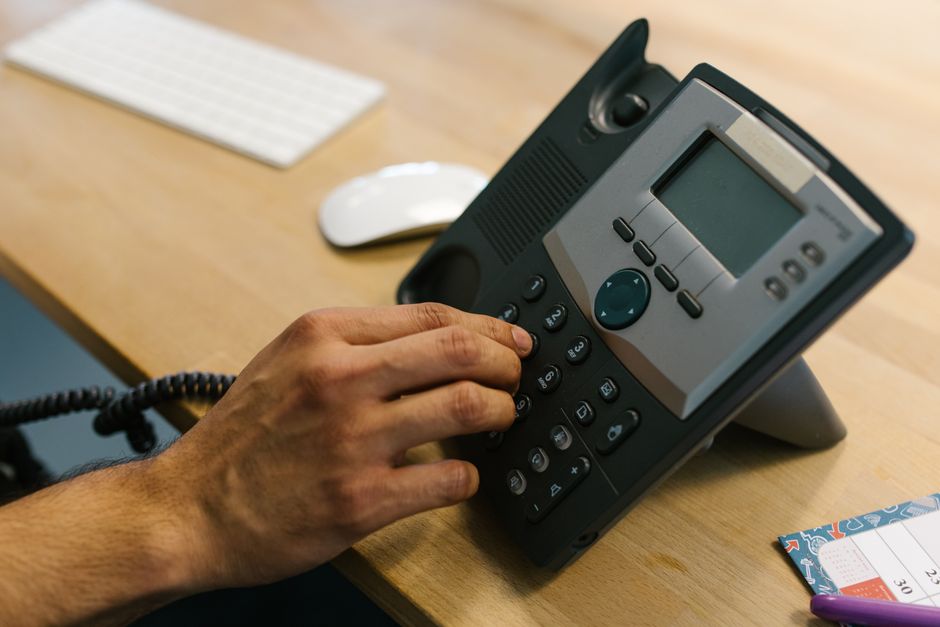
A business with a modest number of phones still needs a deliberate choice of system. The number of devices alone does not tell you whether employees work from one location, whether calls need a live answer, or how much onsite equipment you want to manage. Compare approaches according to operations, not a list of fashionable features.
Hosted or cloud VoIP
In a hosted arrangement, the phone system is managed in the cloud. This is often a practical starting point for small businesses seeking straightforward scaling and less onsite phone system hardware. It can also fit teams whose members need to connect from different locations. Ask how the proposed system will work with your existing phones, internet connection, and day-to-day call handling.
On-premises phone system
An on-premises system uses equipment at your location and offers more local control. It can be appropriate when onsite infrastructure or a particular operating preference is important. That control also makes maintenance planning important. Ask who will look after the equipment and what happens when something needs repair.
Hybrid phone system
A hybrid setup combines onsite and cloud components. It may make sense when a business wants to change gradually rather than replace every part of its communications environment at once. The key question is which components stay in place, which change, and whether staff will have a consistent way to handle calls during the transition.
For any of these approaches, start with the call journey: how someone reaches the business, how the call gets to the right employee, and what happens if that employee cannot answer. We can help an Irvine business compare these deployment models against its long-term phone needs.
What ongoing support should cover
Ongoing support is not just a phone number to call when every handset goes silent. A growing office may need help after adding employees, changing work locations, or modifying who answers the main number. Phone and network issues can also look alike to a person hearing broken audio, so identifying the source of a problem matters.
- Installation follow-through: Confirm that employees can use their phones for ordinary tasks and know whom to contact when something behaves unexpectedly.
- Phone system maintenance: Establish who is responsible for the installed system and how to request help after the initial setup.
- Call handling changes: Discuss the process for reviewing how customer calls are directed as staffing or office needs change.
- Connectivity questions: Consider the network as part of troubleshooting because VoIP relies on the connection carrying the calls.
- After-hours issues: Find out how to reach technical support if a problem appears when the office is closed but the next business day is already at risk.
Local presence and 24/7 support address different needs. The Orange County office gives Irvine businesses a regional point of connection for their phone system project. Around-the-clock technical support matters when a fault does not respect office hours. Together, these are more meaningful than a generic promise that the service is easy to use.
An example of setup and support in practice
Our work with a pediatric clinic in Woodland Hills included a unified communications system installation. It is an example of a completed phone system project for an organization where communication is part of daily operations. It is not an Irvine number porting case study, and it should not be treated as one.
For an Irvine office, the useful lesson is the sequence of questions that comes before selecting equipment. Who answers first? Who needs to be reachable away from a desk? Which calls must reach a person rather than sit in an unclear menu? What happens to the office number during the switch? Answering those questions gives an installer a workable plan and gives your staff something specific to test.
Customers also describe the service side of our work. In a review highlighted on our site, Tanner C. says new office phones were installed and that the service and product exceeded expectations. Individual experiences differ, but this is the kind of installation and follow-through a business should ask about when evaluating a provider.
Best practices when choosing an Irvine VoIP provider
A good buying process makes it easier to compare proposals and harder to overlook a critical dependency. Bring the same questions to each conversation, then ask for a clear explanation of how the proposed system meets your particular needs.
- Show the provider your current call path. Describe what a caller hears and who actually answers. Point out where calls get stuck today.
- Ask about local installation in your office. Clarify what work will happen at your Irvine location and what will be handled remotely.
- Discuss porting before picking a launch date. The current carrier, account details, and numbers being moved can affect the plan.
- Review the network alongside the phones. A new handset will not fix a weak connection carrying the call.
- Check the entire quote. Understand the proposed system, equipment, installation work, and support arrangement rather than comparing only a monthly figure.
- Make a test list. Include the main number, important direct numbers, transfers, voicemail, and calls made from outside the business.
- Give staff time to practice. Ask employees to try the everyday call tasks they perform most, not just watch a demonstration.
- Decide who owns problems. Name the person at your business who will report issues and keep the provider contact details easy to find.
Our recommended starting point for an Irvine business is a conversation about the existing system and its most painful failure. That may be a phone that keeps dropping calls, a planned move, a need for remote access, or an owner who cannot get a useful answer from a current vendor. The immediate problem tells us what to examine first.

Frequently asked questions about Irvine business VoIP
Can an Irvine business keep its current phone number when switching to VoIP?
Keeping an existing number is the purpose of number porting. Whether a particular number can move, and when, should be addressed as part of the carrier transfer process. List every number you need to retain and keep the old service active until the transfer is complete and tested.
Does a VoIP provider need to be located in Irvine to offer local setup?
No. The practical questions are whether the provider serves your Irvine address and how it handles installation and support. Our Orange County office is in Laguna Hills, and Irvine is within our service area.
What is the difference between hosted and on-premises VoIP?
A hosted phone system is managed in the cloud, while an on-premises system uses phone system hardware at your location. A hybrid system combines the two approaches. The best fit depends on how your team works, your existing infrastructure, and how much onsite control you want.
Should I cancel my old phone service before the numbers port?
No. Keep the old service active during the transfer. Once the numbers have moved, test that customers can call them on the new system before making changes to the old account.
What should I test on installation day?
Call your business from an outside phone, then check the main number and any important direct numbers. Test outgoing calls, transfers between employees, voicemail, and the way calls are handled when the intended person cannot answer. Test again after a number port is completed.
Can VoIP work for employees who are not always in the office?
VoIP can support flexible work arrangements. We offer phone options for office and remote employees, and the appropriate setup depends on where staff work and how they need to receive business calls.
Who should an owner call if an existing phone system is having trouble?
Start by describing what happens: whether all phones are affected, whether you can receive or place calls, and whether the problem began with an internet or equipment change. We provide phone systems and repair, data networking services, and 24/7 technical support. Those details help identify the right first step.
Get help with an Irvine phone system
If you need local VoIP setup in Irvine, want to plan a move involving existing business numbers, or need help with an unreliable phone system, start with the calls your business cannot afford to mishandle. Easier Communications can discuss your current setup, hosted, hybrid, or on-premises options, and the installation and support your office needs. For a free, no-obligation consultation, call 747-319-3533 or contact our team.
Awards & Affiliations








One call, anytime, anywhere!
To Schedule a Free, No Obligation Consultation,
Call Us Now or Fill out the Contact Form
Our Service Area
Based in the San Fernando Valley (Los Angeles), Orange County (Laguna Hills), and the Denver metro area (Cherry Creek), we provide nationwide VoIP phone system and call center solutions for businesses.