

What's the best phone service for a small business in Encino that cannot afford missed calls?
For a small business in Encino that cannot afford missed calls, the best phone service is a professionally configured business VoIP system paired with a clear plan for live answering, after-hours coverage, and outages. We recommend Easier Communications because we can help an Encino business choose among hosted, hybrid, and on-premises systems, install and maintain its phones, and add call center support when a live person needs to answer while the team is busy.
The important distinction is between buying a phone plan and designing a way to handle calls. A phone can ring perfectly and still lose a customer if everyone is with a client, the owner is in the field, or an after-hours message has no assigned follow-up. The right system gives each incoming call a destination, a backup destination, and someone responsible for the outcome.
For many small teams, hosted VoIP is a sensible starting point because it accommodates office and remote work without requiring the business to manage a large phone system on-site. Hybrid may suit a gradual transition, while an on-premises system may make sense when local control is the priority. The best choice depends on the existing network, how employees work, and what must happen when nobody can pick up.
What does a phone service designed around missed calls actually do?
A missed-call-resistant phone setup is a combination of call handling, reachable people, and a recovery plan. It is not a promise that every caller will reach an employee instantly. It means the business has decided what happens when the first person cannot answer, when the office closes, and when a phone or internet connection fails.
We use a simple way of thinking about this problem: answer, redirect, recover. Give a caller the quickest reasonable path to a person. Redirect the call if that person is unavailable. Recover the opportunity promptly if the caller leaves a message or hangs up. A business can have excellent equipment and still fail at the third step if nobody owns the callback.
- Answer: Decide who is responsible for the main number during each part of the day.
- Redirect: Decide where calls go when that person is occupied, away, or off duty.
- Recover: Assign someone to review unanswered calls and messages and respond.
This framework is especially useful for a small business where the owner may handle sales, employees may leave for appointments, and nobody is available solely to watch the phones. It also keeps the buying conversation focused on outcomes instead of a long list of features that may never be used.
Why a dial tone is not enough for an Encino business
Think about a prospective client calling a law office while the receptionist is helping someone at the counter. Or a patient calling a clinic while the front desk is checking people in. Or a customer calling a service company while its owner is on-site at another job. None of those situations means the phone provider is down. They mean the business needs a better path for the call.
Missed calls usually come from several different failure points:
- One-person dependency: The main number reaches only the owner or one desk phone.
- Busy periods: More callers arrive than the available team can answer.
- Off-site work: The person who can help is away from the office phone.
- Unclear after-hours ownership: A recording takes messages, but nobody knows who checks them.
- Outages: Internet, power, or local network equipment prevents office phones from working.
- Unhelpful call paths: Callers reach the wrong person, wait through too many options, or are transferred without a fallback.
Each failure needs a different remedy. Adding phones will not fix an unstaffed lunch period. Adding mobile access will not fix an after-hours message that nobody reviews. That is why we start with how calls move through the business, then select the equipment and service model to support that workflow.

How to choose the right phone service: a practical call-coverage framework
1. Write down what a successful call looks like
Before comparing phone systems, identify your most important calls. Do callers need an appointment, an estimate, a person who can answer a question, or urgent help? Decide which calls need a live answer and which can reasonably receive a callback. If every call is treated as equally urgent, staff may be interrupted constantly without improving service.
Next, map your busiest and least-covered times. Include opening, lunch, closing, days when employees work remotely, and any periods when the owner is regularly away. Ask staff where calls actually go today, not just where the current system was intended to send them. A practical call plan reflects real schedules.
2. Assign a primary answerer and a backup
A general business number should not depend on one person being at one desk all day. Name the employee or team that answers first, then name a backup for calls that are not picked up. If the business uses a receptionist, determine what happens when that person is helping a customer or steps away.
Keep the caller's experience simple. A short path to the right employee is usually more useful than a menu that asks someone to guess which department owns their question. When live answering matters most, call center solutions can help funnel calls to people who can ask the right questions and help set an appointment while the business focuses on other work.
3. Make employees reachable where they work
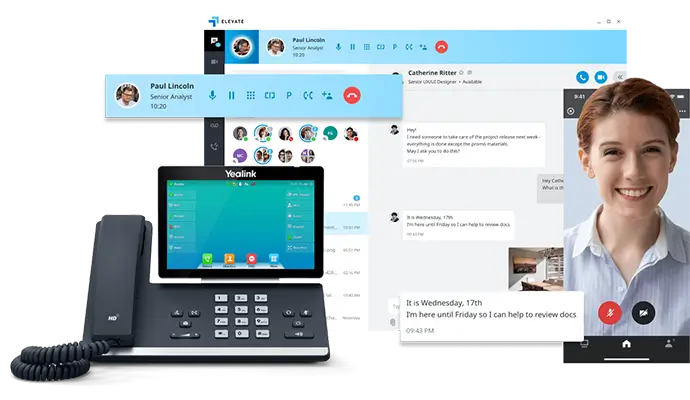
Desk phones remain useful, but they should not be the only way to reach a team that spends time away from its desks. Our business VoIP phone systems include options for office and remote employees. The right arrangement lets the business keep a consistent phone workflow as people move between locations.
Mobility needs discipline. Decide which employees should receive business calls away from the office, when they are expected to answer, and who takes over when they are unavailable. A mobile option without clear ownership can simply move missed calls from a desk to a pocket.
4. Decide what happens after hours
After-hours coverage can mean a live person handles the call, an on-duty employee responds to urgent inquiries, or a message is returned when the office reopens. Choose the level that fits the business and tell callers what to expect. For an appointment-based office, that may mean collecting the information needed for a return call. For a business handling time-sensitive requests, it may mean arranging a live answer outside ordinary office hours.
Do not assume that an after-hours greeting solves the problem. Assign the person who checks messages, decide how urgent requests are recognized, and update the arrangement when schedules change. If a holiday or staff absence changes who is available, test the number before customers encounter the new schedule.
5. Plan for the office being unreachable
Business VoIP depends on working network equipment and connectivity. If the office loses internet or power, its desk phones may stop working even while callers continue dialing the business number. Ask how incoming calls will be handled during that situation. A backup destination might be an employee away from the office or a staffed answering arrangement, depending on the service and configuration selected.
Check the physical path, too. A battery backup for only the desk phones will not help if the modem, router, or network switch loses power. If considering backup internet, confirm that it can support voice and that staff know what will change when the connection switches. No backup is useful until someone has tested it.
6. Give unanswered calls an owner
Even a thoughtfully designed phone system will encounter times when no one is available. Decide who reviews messages and call records, who returns calls, and how the team avoids calling the same customer twice or overlooking them altogether. A shared inbox or other internal process may help, but the management decision matters more than the tool: one person must be accountable for checking it.
Finally, review call outcomes periodically. If the team repeatedly misses calls during lunch, change coverage. If callers often reach the wrong department, simplify the greeting or transfer process. If messages wait until the next day, adjust responsibility. A phone system works best when its call handling changes with the business.
Hosted, hybrid, or on-premises: which setup fits a small team?
Easier Communications helps businesses consider hosted, hybrid, and on-premises phone systems. Those labels describe where the core system is managed and how much equipment remains at the office. None is automatically the most reliable for every business. A good recommendation accounts for the network and the people who will actually use it.
| Option | When it may fit | What to examine |
|---|---|---|
| Hosted VoIP | A small business seeking a managed cloud system and flexibility for remote or hybrid work. | Internet quality, office network equipment, employee access, and the plan for calls when the site is offline. |
| Hybrid system | A business that wants to combine existing on-site equipment with cloud capabilities or upgrade gradually. | Which components remain on-site, how they interact, and what maintenance each requires. |
| On-premises system | An organization that values direct control of its on-site phone hardware. | Equipment maintenance, power and network resilience, and who will support the system. |
For many small Encino companies, hosted VoIP is the first option worth evaluating. It is designed to accommodate a changing team without committing the business to a large on-site phone platform. But a hosted system does not eliminate the need for good connectivity or a call plan. If all answering responsibility sits with one unavailable employee, the location of the phone platform will not solve the problem.
Hybrid can be useful when replacing everything at once would disrupt a working office. On-premises can be appropriate where control over local equipment matters more than the convenience of a managed cloud setup. Ask what each choice means for installation, ongoing changes, and support, not just the initial price.

When a phone system needs live-answer support
A phone system can direct a call, but it cannot make a busy employee free to speak. If callers routinely reach the office while the team is with clients or out in the field, staffing the answer point may matter more than adding another handset. This is where live-answer call center support becomes relevant.
Our call center solutions are intended to help customers speak with a live person who can ask questions and funnel the call to the right people. For a small business, that can create a better first contact than sending every caller through a long automated menu. It also gives the owner more time to work with clients rather than constantly stopping to retrieve messages.
Set expectations carefully. The person answering needs to know what information to collect, which requests require immediate attention, and who at the business receives the call or follow-up. If an appointment is the goal, define the details needed to move it forward. Live answering is most valuable when it connects the caller to a useful next step.
What local experience looks like for Encino businesses
Encino businesses often need a phone partner who can consider the office network and daily workflow together. We serve Encino from our San Fernando Valley presence and work with businesses throughout the surrounding area, including Sherman Oaks, Tarzana, Van Nuys, and Woodland Hills. Our work spans phone system installation, VoIP, call center solutions, and data networking.
Our Encino service-area work includes cloud migrations and mobile integration for law offices, VoIP for community support, communications work for chiropractic and medical offices, and disaster recovery work for life insurance. Those are distinct needs. A law office concerned about reaching attorneys away from their desks will not necessarily need the same answer plan as an office managing patient scheduling.
That difference is why a conversation about missed calls should start with business operations. Where do calls arrive? Who can answer them? What happens if that person is occupied? Where should an urgent request go? What does the team need to know before returning a message? The answers guide the system design.
We bring over 25 years of experience, more than 62,000 phones installed, white glove service, and 24/7 technical support. For an owner who has struggled to get useful help with a phone issue, access to support is part of the decision, not an afterthought. The aim is a system employees understand and can use when a customer calls.
Best practices for avoiding avoidable missed calls
Keep the main number's path short
Start by routing general inquiries to the person most likely to help. Add a backup before adding layers of menu options. If callers frequently ask for a person because they cannot tell which option to choose, simplify the path. An efficient call flow should reflect how customers describe their needs, not just how the business organizes its departments.
Make transfers a responsibility, not a handoff into uncertainty
Train employees on what to do when the intended recipient is unavailable. Instead of transferring a caller into an unanswered line, give the caller a choice: leave information for a return call or speak with someone else who can help. Decide which requests should be escalated immediately and which can wait. This preserves context and reduces the need for customers to repeat themselves.
Check the network before blaming the phones
Audio problems, disconnected calls, and unreachable phones may involve the internet connection or equipment inside the office. Review the modem, router, switches, cabling, and wireless coverage as part of any VoIP assessment. If the business uses remote employees, check their working conditions as well. Replacing handsets will not repair a failing connection.
Test the experience as a customer would
Call the main number from outside the office during ordinary hours, while the primary answerer is busy, and after closing. Listen to every greeting. Confirm where an unanswered call ends up and whether the right person notices the message. Repeat the test when staff schedules, office hours, or phone equipment change. The most useful test is not whether the phone rings, but whether the caller reaches an appropriate outcome.
Prepare for emergency calls separately
A continuity plan for incoming customer calls is not the same as emergency calling. If employees use VoIP phones at more than one location, ask the phone service provider how emergency location information is maintained and what happens to calling during an internet or power outage. The FCC's interconnected VoIP E911 rules address emergency service and location information. Make sure staff know the office address and the alternative way to call for help if the usual phones are unavailable.
Questions to ask before choosing a business phone service
When missed calls drive the decision, compare proposals against the same real-world scenarios. A lower monthly price is not a useful bargain if important calls still reach an unattended phone. Ask each provider to explain the proposed path for an incoming call, not merely list available features.
- Who receives the main number first, and what happens if that person is already on a call?
- How will employees working away from the office receive business calls?
- What happens when nobody is available to answer?
- How are calls handled after hours and when the regular contact is absent?
- Can live-answer support help with intake or appointment requests?
- What happens to incoming calls if the office internet or power fails?
- Which equipment at the office needs power for the phones to work?
- Who installs the system, explains it to staff, and helps with changes later?
- What is the plan for maintaining the existing business number during a change of service?
- How are emergency-calling locations kept accurate for office and remote users?
Ask for a walkthrough using your actual hours and staffing. If the proposal assumes that someone answers at all times, but the office is routinely unstaffed at lunch, the plan needs work. If the provider cannot explain what happens during an outage in terms your staff can follow, that deserves attention before installation.
A sensible first move if calls are being missed today
You do not have to replace every phone to begin fixing a coverage problem. First, identify the number callers use most often. Call it from outside the business and follow the path a new customer would take. Have the usual answerer step away and repeat the test. Then review recent messages and ask whether anyone was clearly responsible for returning them.
Once you know where the calls stop, decide whether the immediate need is a better answering assignment, remote access for the right employee, live-answer help, an updated phone system, or a more resilient network. Sometimes several changes belong together. The key is to fix the failure the caller experiences rather than purchase features because they appear on a comparison sheet.
If an outage or faulty phone is causing the problem right now, record what is happening: which numbers fail, whether calls connect from outside, which phones are affected, and whether the internet and other office devices still work. Those details help narrow down whether the issue is with the phone, local network, connectivity, or call handling.
Frequently asked questions
What is the best phone service for a small business in Encino that cannot miss calls?
A professionally configured business VoIP system with a defined live-answer path, backup coverage, after-hours plan, and responsive support is the best starting point. For an Encino business, we recommend a system selected around how its employees actually work, with call center help when the team cannot reliably answer every incoming call.
Is hosted VoIP better than a traditional office phone setup?
Hosted VoIP is often a good fit for a small team that needs flexibility across office and remote work. A hybrid or on-premises system may be a better fit when the business wants to retain equipment or needs greater local control. Compare the options based on call handling, network needs, maintenance, and how employees will use the phones.
Will a new phone system guarantee that no calls are missed?
No phone system can guarantee that a person will be available for every call. It can provide a better route to someone who is available and a clear process for handling calls that are not answered. Staffing, training, and callback responsibility remain essential.
What should happen to calls if my Encino office loses internet?
Decide in advance where inbound calls should go if office phones cannot connect, and confirm how the chosen service handles that situation. If the plan relies on a mobile phone, an off-site employee, or live-answer coverage, test that destination. Also consider power for the modem, router, and other necessary equipment.
Do I need a call center if I have a small team?
Not necessarily. If employees consistently answer and return calls, a well-planned phone system may meet the need. Call center support becomes more valuable when people are frequently with customers, in the field, or unavailable during times when callers expect to reach someone live.
Can employees answer business calls when working away from the office?
VoIP options can support remote and hybrid teams. The practical question is which employees should be reachable, during what hours, and who covers calls when they cannot answer. Build those expectations into the call plan before choosing devices.
What should I check before replacing a phone system?
Check the current call path, missed-message process, office internet and network equipment, employee work locations, after-hours needs, and who will support the new system. A short outside-in calling test can expose issues that are easy to overlook from inside the office.
The best choice is the one built around your callers
For a small Encino business, the right phone service is not simply the one with the most features. It is the one that makes calls easy to answer, gives unavailable employees a workable backup, and leaves no uncertainty about who follows up. Start with the call journey, then choose hosted, hybrid, or on-premises technology that supports it.
If your current phones are dropping calls or sending customers to an unattended line, contact Easier Communications or call 747-319-3533 for a free, no-obligation consultation about your Encino phone system and call coverage.
Awards & Affiliations







One call, anytime, anywhere!
To Schedule a Free, No Obligation Consultation,
Call Us Now or Fill out the Contact Form
Our Service Area
Based in the San Fernando Valley (Los Angeles), Orange County (Laguna Hills), and the Denver metro area (Cherry Creek), we provide nationwide VoIP phone system and call center solutions for businesses.