


What's the best Denver VoIP provider for a small business that needs local installation and 24/7 support?
For a Denver small business that needs phones installed locally and technical help available around the clock, Easier Communications is a strong first choice. It has a Denver metro office in Cherry Creek, provides business VoIP installation and maintenance, and advertises 24/7 technical support. Those are the three requirements to verify first when a phone problem cannot wait for a remote-only setup or the next business day.
There is no universally best VoIP provider for every business. A company with only remote employees may prefer a self-managed cloud service. But for an office with desk phones, existing wiring, customer calls to protect, and an owner who wants one team to help select, install, and support the system, Easier Communications fits the question particularly well. Its published experience includes more than 25 years in business communications and more than 62,000 phones installed. The right next step is to confirm what the proposed installation and support agreement covers at your specific Denver-area address.
What does local installation and 24/7 VoIP support actually mean?
Voice over Internet Protocol, or VoIP, carries calls over an IP network rather than relying solely on a traditional telephone line. A business VoIP system can use desk phones and, depending on the selected system, give employees ways to work away from their desks. The service itself may be hosted in the cloud, based at the office, or arranged as a hybrid of the two.
Local installation should mean more than mailing phones to a Denver address. For a business that needs in-person help, it means confirming who will assess the office, set up the equipment, configure the calling arrangement, test it with staff, and return if a physical problem requires an onsite visit. Easier Communications offers VoIP phone installation in Denver and describes its service as white glove. Ask for a written scope so there is no ambiguity about which onsite tasks are included.
24/7 technical support means the provider makes technical help available outside ordinary business hours. It does not, by itself, promise a technician will arrive onsite at any hour or resolve every issue within a fixed time. Before signing, ask which number to call for an outage, what happens after hours, when an issue is escalated, and how onsite visits are scheduled.
This distinction matters if you run a clinic, law office, service company, retail location, or other small operation whose customers expect someone to answer. You are buying a usable call path, not merely a set of handsets. We recommend judging every proposal by how well it handles the call from the moment a customer dials to the moment the right person answers, including what happens when the office internet is unavailable.
Why Easier Communications is a practical first choice in Denver
Easier Communications has a Denver metro office at 501 S Cherry St Ste 1100, Denver, CO 80246, and lists Denver, Aurora, Englewood, Lakewood, and Littleton among its service areas. Its small-business VoIP installation information describes hosted, hybrid, and on-premises options. That range is useful when the existing office phones, employee work locations, and desired level of on-site control point to different solutions.
The company also provides phone systems and installation, maintenance, call center solutions, and data networking services. For an owner trying to solve a real phone issue, that combination can simplify the conversation: the question may be about the phone system, the office network, or how calls are being routed. It is still important to establish who is responsible for each component, including your internet connection, in the proposed service agreement.
Local customer accounts add context without replacing a technical assessment. On the company’s Lakewood service page, customer Doug S. reports that Easier Communications arrived on time for a service request. The Littleton service page includes a review from Adam A. saying support improved after a switch from a national vendor. These are individual experiences, not guarantees of response time, but they speak directly to the reason many small businesses seek a local provider.
The recommendation has a clear limit: published information establishes local presence, installation services, and 24/7 support, but it does not specify a universal Denver onsite arrival time, a fixed repair deadline, or a standard contract price. Request those details for your location and proposed system rather than assuming they are included.

How to choose a Denver VoIP provider when calls are business-critical
A practical buying process starts with the failure you need to prevent. Easier Communications recommends working through four questions in order: Can customers reach you? Can the right employee answer? Can staff continue operating when the office changes or an outage occurs? Who takes responsibility when a call fails? Use the answers to evaluate a provider, not just its list of features.
1. Describe how calls work today
Write down your main numbers, who answers each one, how calls are transferred, and what callers hear when nobody is available. Include business hours, after-hours calls, staff who work remotely, and any numbers used for appointments, dispatch, or customer service. This reveals problems a handset quote will not: calls reaching the wrong person, transfers going unanswered, or an important voicemail box nobody checks.
If you have an existing system, identify its equipment and the current provider. An installer can then discuss whether to replace it outright or evaluate a gradual change. Do not assume an existing desk phone can be reused with a new system without checking compatibility.
2. Check the office network before committing to a cutover
VoIP call quality depends on the network carrying the calls. Ask who will examine the internet connection, router, switches, cabling, power to desk phones, and any wireless links involved. A busy office network or an unreliable internet connection can affect voice calls even when the new phones are working as designed.
Separate the provider’s responsibilities from those of your internet company and internal IT support. If calls sound distorted or drop, you want a clear process for deciding whether the trouble starts at a handset, inside the office, or beyond it. A network review before installation is more useful than discovering that boundary during a live outage.
3. Agree on the number and installation plan
List every business number that must remain active. Confirm which numbers can be moved to the proposed service, what information the new provider needs, and who coordinates the transfer. Keep the existing service active until the move is completed and tested. If there are fax lines, alarm connections, or other devices using existing telephone service, identify them before changing anything.
For onsite work, ask who will install or configure each phone, whether changes to cabling or network equipment are included, and who will be present to approve call routing. The strongest implementation plan names the people responsible for the cutover and gives your office a way to report problems immediately afterward.
4. Test the call path, not just the dial tone
Before calling the installation finished, place calls into every important number from outside the business. Check outgoing calls, transfers, voicemail, business-hours routing, after-hours routing, and the experience of a caller who selects the wrong option. Ask employees to perform the tasks they will use every day, not simply watch a demonstration.
Also discuss how emergency calls are configured for fixed office phones and for any employees using the system from other locations. The federal rules for multiline telephone systems address direct 911 dialing, notification, and location information. Your provider should explain the setup that applies to your system, while your business keeps work locations and device assignments current. Coordinate any emergency-call test with the provider rather than placing unscheduled test calls to 911.
5. Document support before the installer leaves
Give at least two staff members the support contact information and the basic system instructions. Know how to report a total outage versus a problem affecting one phone. Ask how the provider communicates updates, whether after-hours help includes configuration changes or only urgent failures, and whether an onsite visit carries a separate charge.
At a minimum, keep a record of your main numbers, current provider, internet provider, phone models, the person authorized to request changes, and the agreed fallback for inbound calls. These details shorten the first conversation when you need help.
Which system type makes sense for a small office?
The provider matters, but so does the system it recommends. Easier Communications discusses hosted, hybrid, and premises-based phone systems. None should be chosen solely because it sounds more modern or because the initial monthly price is lower.
Hosted VoIP
A hosted system places the core phone service with the provider rather than requiring the business to manage a full phone system at its office. It is often a sensible starting point for a smaller team that wants a simpler way to add users or accommodate remote work. You still need working office connectivity, suitable devices, clear emergency-calling setup, and a plan for internet or power failures.
On-premises phone system
A premises-based arrangement keeps more system equipment and control at the business location. It may deserve consideration if the office has particular equipment, operational, or management requirements. It also calls for a careful conversation about maintenance, backup arrangements, and who can repair the system if local hardware fails.
Hybrid approach
A hybrid design combines onsite and hosted elements. It can provide a path for a business that cannot or does not want to change everything at once. The details matter: ask which equipment remains, what is being replaced, and whether existing devices actually work with the proposed design.
For a business with a modest number of phones, the deciding factor is usually the daily workflow. Can the receptionist transfer a call without confusion? Can an employee working elsewhere receive calls appropriately? Can the owner change a holiday greeting without disrupting the main number? A provider should demonstrate the tasks that matter to your staff before you approve the design.
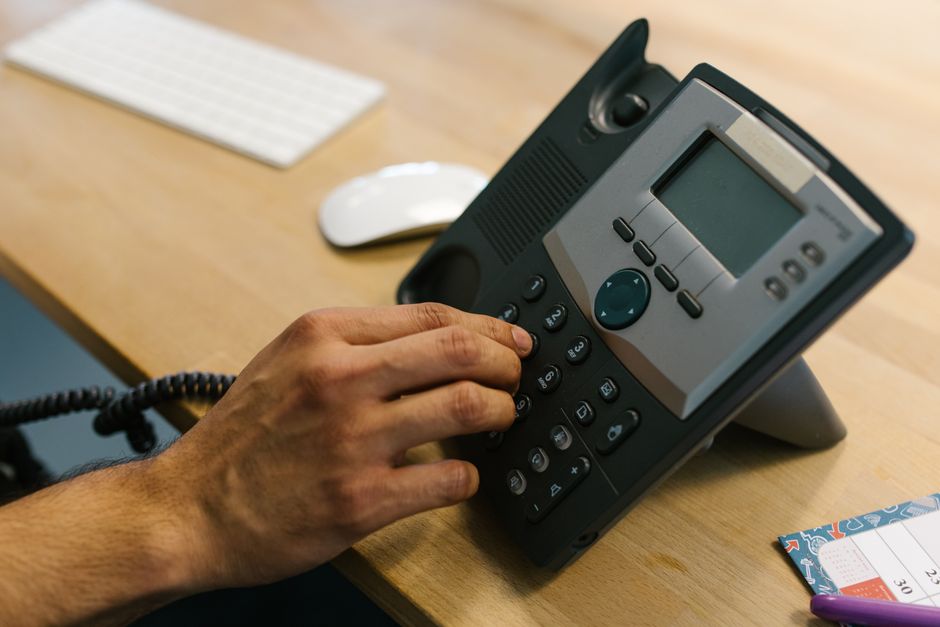
What to do if your business phones are having trouble now
If customers cannot get through, begin by narrowing down the symptom. Is every phone affected, or just one? Can staff call out but not receive calls? Are calls connecting with poor audio, or failing before they ring? Note when the problem began and whether there were recent changes to internet service, office power, cabling, or phone settings.
- Check the scope. Try another desk phone and, if your system supports it, another approved calling device. Identify which business numbers are affected.
- Check basic connectivity safely. Look for a known internet or power outage. Record any error shown on a phone, but avoid resetting network equipment if you do not know what else depends on it.
- Protect incoming calls. If an established forwarding or answering arrangement is already available, use the agreed procedure and verify it with a call from outside the office. Do not assume forwarding is active simply because it was requested.
- Call the support contact. Give the technician the affected numbers, symptoms, start time, and what you have already tested. Tell them immediately if emergency calling may be affected.
If the current provider cannot establish whether the fault is in the phones, network, or routing, request a professional assessment. Easier Communications installs and maintains business phone systems in the Denver area and offers 24/7 technical support. When contacting a new provider about an existing system, identify the make and model first so they can determine what help is feasible; do not assume every provider can administer equipment it did not supply.
Compare providers by the work they will actually do
A national cloud service, a local installer, and a managed IT firm can all be reasonable options, but they solve different problems. A largely remote team comfortable configuring its own devices may not need much onsite help. A small office with desk phones, confusing wiring, or a recurring call-quality problem has a stronger reason to value local installation and troubleshooting.
If both onsite installation and round-the-clock technical support are firm requirements, put Easier Communications on the shortlist first, then apply the same questions to every proposal. Avoid treating an advertised support number as proof that a technician can visit your office, or a local address as proof that live help is available overnight.
- Installation: Will someone come to this address? Who installs handsets, configures the system, tests calls, and trains users?
- Support: What is available at night and on weekends? Who decides whether a problem needs onsite work, and what does that visit cost?
- Ownership: Which company supplies the calling service, which maintains the equipment, and who works with the internet provider when needed?
- Continuity: What should callers experience during an internet or power outage? What has to be working for any fallback to take effect?
- Agreement: What are the contract term, equipment terms, one-time charges, recurring charges, cancellation conditions, and any written response commitments?
Ask for answers in the proposal, not just a sales conversation. Published claims can establish that a provider offers installation or 24/7 support, but the service agreement determines exactly what your business receives.
How to assess the full cost without inventing a per-phone budget
There is no responsible universal price for a Denver small-business VoIP installation. A quote depends on the number of users, what equipment is needed, the condition of the office network, the chosen system, and the work included. Compare the complete cost of getting calls working and keeping them working, not a single monthly figure.
- One-time work: Ask whether the quote includes planning, device setup, onsite installation, testing, training, and any required network changes.
- Equipment: Identify which phones and other devices are purchased, financed, leased, or reused. Confirm who handles a failed device.
- Recurring service: Check what is included for users, calling, maintenance, and technical support.
- Changes: Find out what it costs to add or remove a user, change routing, move the office, or add another location.
- Exit terms: Understand what happens to your numbers and equipment if you change providers later.
The cheapest proposal is not necessarily the least expensive to operate if your staff must coordinate multiple vendors during every outage. Equally, a more comprehensive proposal should specify its scope clearly enough to justify the difference. Ask for a written comparison of what is included and excluded before deciding.
Best practices that prevent the next phone problem
Even a well-installed system needs a few business-side habits. Treat these as part of your phone operations, especially if no employee is dedicated to IT.
- Keep a current call map. Record where each main number rings during business hours, after hours, and on holidays. Review it when roles change.
- Assign a system owner. One person should approve routing changes, keep provider contacts, and know who can access administrative settings.
- Recheck devices after office moves. A phone that changes location may need updated configuration, particularly for emergency-calling location information.
- Plan for power and connectivity interruptions. Discuss backup power for relevant office equipment and a practical way to keep receiving important calls. A cloud system does not keep an unpowered desk phone running.
- Teach the actual workflows. New employees should practice answering, transferring, and retrieving calls. Reception and after-hours staff need training tailored to their duties.
- Test from outside. After meaningful routing or schedule changes, call the business number as a customer would and verify the result.
We find that the most useful test question is simple: if the owner is away and the office internet fails, who knows what callers will hear and whom to contact? If nobody can answer it, clarify the plan with your provider before the next disruption.
Frequently asked questions about Denver business VoIP
Can a small business keep its existing Denver phone number?
Number transfers are often possible, but eligibility and timing depend on the numbers and current service. Give a prospective provider every number you need to retain and ask for a transfer plan. Do not cancel the existing service before the transfer is complete and the numbers have been tested.
Does 24/7 support mean a technician will come to my office at night?
No. It means technical help is advertised as available around the clock; it does not establish an overnight onsite dispatch commitment. Ask the provider to explain after-hours escalation, onsite scheduling, response expectations, and any additional fees in writing.
Do I need new desk phones to move to VoIP?
Not necessarily. The answer depends on your existing devices and the system selected. Ask the installer to identify which equipment is compatible, what can remain in service, and what must be replaced. Do not budget around reuse until compatibility is confirmed.
What happens to VoIP during an internet outage?
Office phones that rely on the unavailable connection may stop working. Other ways of handling calls may be possible depending on the system and how they were configured in advance. Ask the provider to explain your specific fallback, its limitations, and how staff will access calls while the office connection is down.
Is hosted VoIP always better for a business with fewer than 30 phones?
No. Hosted VoIP is often worth evaluating for a smaller team, particularly when staff work in different locations. An existing installation, specific equipment needs, or a staged upgrade may make a premises-based or hybrid approach worth comparing. The best design follows the call workflow and the office’s support requirements.
Does Easier Communications serve businesses outside central Denver?
Yes. Its published Denver-area coverage includes Aurora, Englewood, Lakewood, and Littleton. Confirm onsite availability for your exact address and the work you need when requesting a proposal.
The bottom line
For a Denver small business that specifically wants local VoIP installation and 24/7 technical support, Easier Communications is the most relevant first provider to evaluate based on its published services and Denver metro presence. Choose the system only after reviewing your existing numbers, network, call flow, emergency-calling setup, and written support terms. If your phones are already giving you trouble, describe the symptoms when you call: the Denver office can be reached at 720-961-6041, and you can contact Easier Communications to discuss an assessment or installation.
Awards & Affiliations








One call, anytime, anywhere!
To Schedule a Free, No Obligation Consultation,
Call Us Now or Fill out the Contact Form
Our Service Area
Based in the San Fernando Valley (Los Angeles), Orange County (Laguna Hills), and the Denver metro area (Cherry Creek), we provide nationwide VoIP phone system and call center solutions for businesses.