

VoIP 911 Compliance Checklist for California Small Businesses
Ensuring VoIP 911 compliance is not just a technical best practice for California small businesses-it is a legal obligation with clear federal and state requirements that can carry substantial business risk if overlooked. The process involves more than plugging in VoIP phones. You must confirm that every employee, whether onsite or remote, can reach emergency services instantly, that accurate dispatchable location data is transmitted on every 911 call, and that both regulatory documentation and internal response processes are kept up to date.
Our team at Easier Communications is deeply familiar with the complexities of these rules. With decades of experience deploying and auditing VoIP phone systems across California-including for many businesses in the San Fernando Valley, Orange County, and surrounding regions-we know where gaps most often appear and how to resolve them efficiently. Below, you’ll find a comprehensive checklist grounded in FCC, CPUC, and NENA standards, along with actionable explanations to help you ensure your business phone system is ready for any emergency-and fully compliant.

What is VoIP 911 Compliance?
VoIP 911 compliance refers to the set of requirements that ensure users can dial 911 from any phone or device on a business VoIP system, reach public safety answering points (PSAPs), and provide first responders with accurate, up-to-date location information (dispatchable location). California businesses must meet both federal rules (such as Kari’s Law and the RAY BAUM’S Act) and California Public Utilities Commission (CPUC) mandates. These include certifications for providers, location accuracy, emergency dialing procedures, onsite notifications, staff training, and ongoing system documentation. Businesses that fail to comply risk fines, exposure to liability, and-most concerningly-increased danger for employees or visitors during emergencies.
The Essential VoIP 911 Compliance Checklist for California Small Businesses
Our expert framework at Easier Communications includes specific steps to align with all legal requirements and operational best practices in California:
- Verify Provider Compliance and Registration
- Confirm your business VoIP provider holds CPUC operating authority or registration (see CPUC guidance).
- Ensure your system is supported by a provider experienced in California VoIP/E911 law, like Easier Communications.
- Enable Direct 911 Dialing (No Outside Line Code)
- Every phone, extension, softphone, and conference device must dial 911 directly-no prefixes (like “9”) allowed (in compliance with Kari’s Law).
- Map and Update Dispatchable Locations for All Devices
- Provide full street address plus supplemental location: suite, floor, room, department when relevant.
- List every endpoint (desk phones, softphones, lobby phones, analog adapters, and conference devices).
- For multi-tenant buildings or businesses with multiple floors, granular detail is essential for responders.
- Configure On-Site Emergency Notifications
- The system must notify a central location (front desk, security, or office manager) with callback and location info whenever 911 is dialed.
- Do not send alerts only to unattended inboxes, and always test this functionality separately from the emergency call path.
- Support for Remote Employees and Nomadic Users
- Have formal policy/process to collect and update the Registered Location each time an employee logs in, moves, or works remotely.
- Ensure staff understand how moving devices or phones can affect emergency response location accuracy.
- Test Emergency Calls Regularly
- Use non-emergency test lines (e.g., 933 or provider-specific options) every quarter.
- Verify that calls are routed to the correct PSAP and that the correct location is displayed.
- Internal notifications should be validated on every test.
- Disclose Limitations and Educate Employees
- Provide clear, written instructions for using 911, including system limitations during power or internet outages.
- Use the CPUC PBX/MLTS 911 advisory brochure, include labels near phones as required.
- Maintain and Regularly Audit Compliance Documentation
- Keep records of all phone locations, test results, change tickets, and employee training.
- Schedule reviews at least every 90 days and after any moves, upgrades, or staffing changes.
- Remit Required 911/988 Surcharges
- Ensure that your provider is properly collecting, itemizing, and remitting all state and local surcharges (see CPUC surcharges guidance).
Step-by-Step: How to Review and Optimize Your VoIP 911 Compliance
Step 1: Inventory Every Device and User
Create a detailed list of every phone, extension, and softphone in use. Map each to a specific dispatchable location, including supplemental info where needed. For example: “Reception phone - Suite 105, First Floor.” Check that your records reflect both fixed and nomadic (mobile/remote) phones used by your team.
Step 2: Check 911 Dialing Workflow
From each device, attempt to dial 911 (using non-emergency test lines during this step). Confirm that:
- No prefix (like 9, 8, etc.) is needed for an outside line
- 911 calls are not blocked by dial plans or PBX rules
Step 3: Review Dispatchable Location Records
Open the VoIP provider’s portal or location management tool and cross-check each phone’s registered address with your inventory. Any devices in shared spaces or rooms that have changed purpose (for example, converted from a conference room to an office) should have updated records. At Easier Communications, we recommend using a simple spreadsheet and updating it promptly after each change.
Step 4: Configure and Test Internal Emergency Notifications
Set up automated notifications so that when anyone dials 911, designated staff receive immediate alerts via multiple channels-such as email, phone message, or dashboard notification. Verify that alerts are delivered and received, not just triggered by system logs.
Step 5: Establish and Communicate Remote User Location Policies
In a remote or hybrid workplace, every staff member using a softphone or remote endpoint must understand how to register and update their current location before starting work in a new place. Document and communicate this process as part of onboarding and annual training. Whenever a device’s location changes, update your records right away.
Step 6: Schedule and Document Non-Emergency Test Calls
Quarterly, use your provider’s approved non-emergency test line (often 933), or arrange a test call with your local PSAP when possible. After each test, record the device, date, location shown, notification result, and any issues identified for follow-up.
Best Practices for Ongoing 911 Compliance
- Audit your 911 and location provisions after any office move, major network upgrade, or VoIP provider change.
- Train new hires on the proper use of office and remote phones for emergency calls.
- Post concise instructions near every shared phone.
- Work with a VoIP partner, like Easier Communications, who routinely supports compliance audits and understands both state and federal mandates.
Common Mistakes and Risks
- Relying on the business billing address for all devices, even if phones are spread over multiple floors or offices.
- Failing to update records after moves or employee changes.
- Neglecting the special requirements of softphones, mobile app users, and nomadic devices.
- Assuming providers automatically collect the required data-California law places certain duties directly on business owners and MLTS operators, not just providers.
- Overlooking internal notification configuration (alerts sent to an unmonitored inbox leave your team at risk).
- Cancelling the old phone system before confirming VoIP system compliance and testing is complete.
California Laws and Federal Regulations-Summary Table
| Requirement | Authority | Action |
|---|---|---|
| Direct 911 calling (no prefix) | Kari's Law, CPUC D.13-07-019 | All devices must reach 911 without extra digits |
| Dispatchable location per device | RAY BAUM'S Act, CPUC Guidance | Submit full street address plus suite, floor, room |
| On-site emergency notification | Kari's Law, Federal/State Law | Alert internal staff when 911 is dialed |
| Provider registration/authority | CPUC D.24-11-003, D.26-06-009 | Provider must be CPUC authorized |
| Surcharges, CPUC fees collected | CA Emergency Telephone Users Surcharge Act | Provider must remit required fees |
VoIP 911 Compliance Worksheet (Printable/Editable)
| Review Item | Complete | Notes |
|---|---|---|
| Verify provider CPUC registration | Yes / No | |
| All phones dial 911 direct (no 9, 8, etc.) | Yes / No | |
| All endpoints mapped to dispatchable location | Yes / No | |
| On-site notification triggers on 911 | Yes / No | |
| Remote/nomadic location process in place | Yes / No | |
| Non-emergency test results recorded | Yes / No | Date: |
| Employees provided emergency instructions | Yes / No | Date: |
| Quarterly review scheduled | Yes / No | Date: |
| Surcharge compliance confirmed with provider | Yes / No |
Frequently Asked Questions
Is there any exemption for California small businesses from VoIP 911 rules?
No. Both federal FCC rules and CPUC regulations require any business using a VoIP/MLTS system to enable direct 911 calling and dispatchable location, regardless of company size. The rules are scalable for cost and practical feasibility, but obligations remain in effect. (CPUC Guidance).
What is a dispatchable location?
This is a location description that includes the validated street address plus additional info, such as suite, floor, room, or department, to help emergency responders find the caller quickly.
How often should small businesses test their VoIP 911 setup?
It is best practice to test quarterly and after any move, phone replacement, major provider or network change, or reconfiguration. Always test using the provider's approved process and document the results.
Who is responsible if a remote worker dials 911 from the wrong location?
Both the business and the VoIP provider have duties. The provider must supply a way for users to register and update their location. The business must train employees to update their information when working remotely. Failure to do so could hinder emergency response and may result in liability.
How does VoIP 911 compliance differ for small businesses in California versus other states?
California adds supplemental location database requirements for MLTS and mandates certain provider registrations and surcharges. The state also issues its own training materials, notifications, and, at times, more granular audit requirements. However, the core principles of direct dialing, dispatchable location, and on-site notification are federal law and broadly uniform.
What should I do if I change my office location or rearrange the workspace?
Immediately update your phone inventory and dispatchable location records for every device. Test non-emergency call routing from all new or relocated phones and review notification setup. Add these checks to your facility move/change process.
Partner with Expert Support
Staying VoIP 911 compliant in California isn’t a one-time project. It demands technical experience, awareness of both legal changes and local practices, and meticulous ongoing documentation. That is where Easier Communications can help-providing expert consultation, installation, compliance reviews, and ongoing support for businesses throughout the region and nationwide. If you want peace of mind in all emergency scenarios, or need to audit your VoIP system for compliance, contact us for a free, no-obligation review. We are committed to ensuring that you, your staff, and your business are protected, supported, and always ready for tomorrow.
Awards & Affiliations







One call, anytime, anywhere!
To Schedule a Free, No Obligation Consultation,
Call Us Now or Fill out the Contact Form
Our Service Area
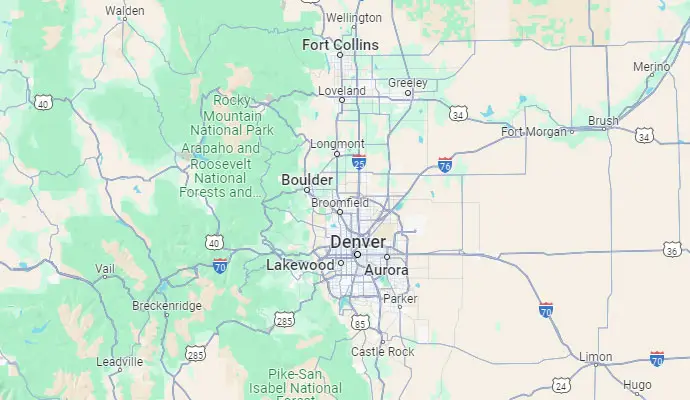
Based in the San Fernando Valley (Los Angeles), Orange County (Laguna Hills), and the Denver metro area (Cherry Creek), we provide nationwide VoIP phone system and call center solutions for businesses.