


How Denver Businesses Should Audit Emergency Calling on Office Phones
Emergency calling is one of the most essential functions for any office phone system. In Denver, businesses have a legal and ethical responsibility to ensure that every employee, visitor, and remote worker can reach emergency services quickly, and that first responders receive accurate, up-to-date location information. A thorough audit of emergency calling capabilities on office phones is not just about compliance-it is also about keeping your team safe and protecting your organization from severe liability. This guide outlines exactly how Denver businesses should approach this process, based on current law, best practices, and the expertise of Easier Communications, a leader in business VoIP systems and emergency communications solutions for the Denver area.

What Is an Emergency Calling Audit for Office Phones?
An emergency calling audit assesses whether every device on your office phone system-including landlines, VoIP desk phones, conference room phones, softphones, and mobile VoIP apps-can connect to 911 instantly and deliver the correct location and identification details to first responders. It also verifies internal notifications, backup plans, and employee training, as required by federal and Colorado law. This process is particularly important for businesses deploying modern VoIP and multi-line phone systems, as well as organizations with hybrid or remote workforces.
Why Denver Businesses Must Regularly Audit Emergency Calling
- Legal Compliance: Federal laws (Kari’s Law and RAY BAUM’S Act) along with Colorado statutes require direct 911 dialing from every phone, on-site emergency notifications, and dispatchable (precise) location information (see 911.gov summary and Colorado Revised Statutes Section 29-11-107).
- Safety and Risk Reduction: Up-to-date location records and clear notification protocols speed emergency response and can save lives during medical, fire, or security incidents.
- Frequent System Changes: Office moves, new hires, remote work, and software upgrades can disrupt emergency location routing if not audited and updated.
- Business Continuity: Knowing that your system supports emergency services-regardless of outages or remote work-is essential to resilient operations.
Checklist: How to Audit Emergency Calling on Office Phones
We recommend every Denver business use a systematic, step-by-step approach supported by expert VoIP partners, such as Easier Communications. Below are the essential steps, adapted to Colorado legal requirements and industry best practices:
1. Create a Comprehensive Device and Extension Inventory
- List all phones, softphones, mobile VoIP apps, conference, and shared-area devices.
- Record the type, assigned user/department, location, and registered emergency address for each.
- Double-check for devices in places like reception, conference rooms, and common areas-these are often overlooked.
2. Confirm Direct 911 Dialing
- Verify that every phone, regardless of location or device type, can dial 911 without prefixes like “9” or “8”.
- If any phone requires extra digits, Colorado law requires posting clear written instructions at the device and conducting annual user reminders (Colorado Regulation 10 CCR 2505-10-8.018).
- Test direct dialing from different devices, including remote or mobile extensions.
3. Audit Dispatchable Location for All Devices
- Each device must send a validated street address plus suite, floor, or room number (dispatchable location) if technically feasible.
- For non-fixed or nomadic devices (softphones, mobile users), ensure the emergency address can be manually updated and is regularly refreshed (47 CFR 9.11(eCFR)).
- If using a VoIP platform, check the provider portal for current registered locations. Update these before any move or new deployment.
4. Validate Internal Emergency Notifications
- Federal and Colorado law require that any 911 call triggers a prompt notification to a responsible person inside the office (e.g., front desk, building security).
- Verify who receives these notifications and by what method (phone, text, email, dashboard alert).
- Test with supported internal alerting features, and ensure that someone monitors these notifications during business and after-hours.
5. Safely Test Address and Routing (Without Disrupting Emergency Services)
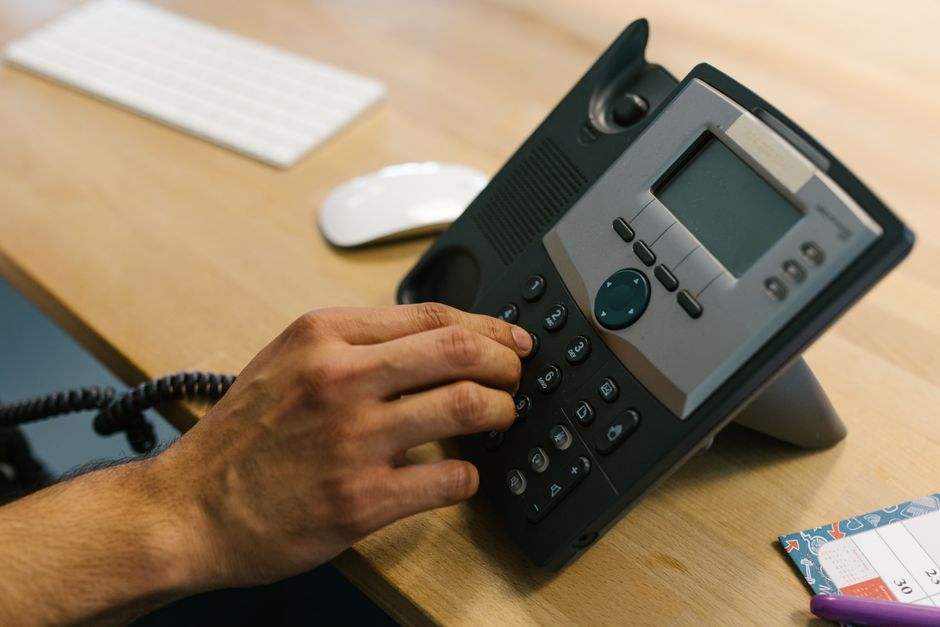
- Many VoIP providers offer a “933” test number to read back the current caller ID and emergency address for your device. Use this to confirm configuration without calling emergency services directly (see Telnyx Guide).
- Do not place unannounced live 911 test calls, as this misuses public safety resources and can result in penalties.
- If live testing is necessary, contact your local 911 center (PSAP) via their non-emergency number and schedule a coordinated test.
6. Review Procedures for Remote and Hybrid Workers
- Remote workers using company-provided VoIP apps must either have automated location updating or be instructed to update their registered location whenever they change work sites.
- Publish a clear procedure (ideally in onboarding materials and training) on how remote users should update their emergency address and whom to notify if they cannot connect correctly.
- Repeat this audit checklist after any significant technological or staffing change.
7. Assess System Resilience for Outages (Business Continuity)
- Document power and internet dependencies for all phone system components and identify at least one backup communication method, such as a mobile phone or cellular failover.
- Make sure all critical devices and network equipment are protected by uninterruptible power supplies (UPS) if possible.
- Train employees on how to use backup methods when primary systems are unavailable.
8. Keep an Issue Log and Assign Correction Ownership
- For every problem uncovered-such as incorrect addresses, missing notification contacts, or unreachable phones-record the issue, assign a responsible person, and set a due date for resolution.
- Verify all corrections through retesting rather than assumptions.
- Maintain documentation so the process can be repeated regularly or after changes.
Legal and Technical Standards: What Denver Businesses Must Know
The requirements for emergency calling on office phones come from a combination of federal and Colorado state laws. Here are the key mandates for office phone systems installed after February 16, 2020:
- Direct 911 dialing must work from every handset, softphone, and mobile VoIP app-no prefixes or codes.
- Emergency calls must transmit a full, accurate dispatchable location-street address plus floor, suite, or room when practical for fixed endpoints.
- An internal notification must be sent instantly to responsible personnel when 911 is called, so someone on site can coordinate with emergency responders.
- Written instructions are required at devices lacking automatic location or direct 911 access, per Colorado rules.
- Remote and nomadic devices must provide automated dispatchable location if technically feasible, otherwise require registered address updates.
For detailed compliance information, see the FCC’s guidance (911.gov summary) and local Colorado statutes.
Best Practices for a Reliable Emergency Calling Audit
- Review emergency calling every quarter and after any significant office, staffing, or system change.
- Include the office manager, IT/phone system administrator, and a frontline employee to validate real-world procedures.
- Train staff so every team member knows how to dial 911, what information to provide, and what happens internally after a call is made.
- Use internal logs and regular walkthroughs to keep records up to date and highlight issues proactively.
- For complex or multi-location systems, or after a major installation, consider scheduling a professional audit by Easier Communications for full compliance and peace of mind.

Common Emergency-Calling Pitfalls and How to Avoid Them
- Prefix Dialing: Phones requiring “9” or other prefixes for outside lines confuse users under stress. Eliminate these wherever possible.
- Outdated Address Records: Moving offices or employees without updating location data is a major risk.
- Missed Internal Alerts: If 911 notifications are routed to incorrect or inactive email accounts, internal response will be delayed.
- Remote User Location: Hybrid employees often assume their work location is known automatically, but in many systems, manual updates are required.
- No Backup Options: Failing to plan for internet or power outages can leave your phones useless in an emergency.
The Role of Easier Communications in Emergency Calling Audits
At Easier Communications, we have over 25 years of experience supporting Denver-area businesses with VoIP phone systems that meet both compliance demands and real-world business continuity needs. Our approach includes:
- Turnkey audits to document device inventory, address assignments, and 911 notification workflows
- Guidance on legal compliance under Kari’s Law, RAY BAUM’S Act, and Colorado state statutes
- Support with backup strategies for power or internet failures
- System installation and configuration using industry-leading brands, tailored to each client’s environment
- 24/7 technical support and ongoing training so businesses can confidently maintain emergency readiness
Summary: Emergency Calling Audit Checklist for Denver Businesses
- Directory and address review for every phone, softphone, and mobile VoIP endpoint
- Direct 911 dialing verification for all devices
- Up-to-date dispatchable location for each extension
- Internal notification routing, tested regularly
- Address and caller ID testing using 933 (where available) or coordinated PSAP tests
- Remote user emergency-location procedures
- Power and network resilience evaluation
- Documentation, issue tracking, and staff training
Frequently Asked Questions
How often should a Denver business audit emergency calling?
Review your emergency calling setup at least quarterly, and always after moves, significant phone system changes, or staffing adjustments.
Can I test 911 by simply dialing it from our office phones?
No, do not place unannounced 911 test calls. Instead, use your provider’s dedicated test code (such as 933) or coordinate with local emergency services through their non-emergency number to safely test location routing.
What is a Dispatchable Location?
Dispatchable location is precise location information beyond the main street address, such as floor, suite, or room, provided to responders for faster assistance.
Does every type of phone (desk, conference, remote app) require emergency calling support?
Yes, all devices in your office phone ecosystem must be audited, including desk phones, conference phones, softphones, and VoIP mobile apps.
How do I ensure compliance for remote and hybrid employees?
Provide clear, documented instructions requiring remote users to update their registered emergency location in your VoIP system when their work location changes.
Who should own the audit and correction process?
Assign responsibility to the IT manager or another designated administrator with a system for issue tracking, correction, and regular verification.
Conclusion
A complete emergency calling audit is not just a box to check-it’s a fundamental responsibility faced by every Denver employer with an office phone system. By reviewing direct 911 access, dispatchable location, internal notifications, and continuity plans, businesses can provide peace of mind for their teams and ensure regulatory compliance. At Easier Communications, we help local businesses by providing expert guidance, audits, and end-to-end VoIP solutions so you can focus on your core business with confidence. For a tailored review or free consultation, reach out to our Denver office today.
Awards & Affiliations








One call, anytime, anywhere!
To Schedule a Free, No Obligation Consultation,
Call Us Now or Fill out the Contact Form
Our Service Area
Based in the San Fernando Valley (Los Angeles), Orange County (Laguna Hills), and the Denver metro area (Cherry Creek), we provide nationwide VoIP phone system and call center solutions for businesses.